
WireGuard is a cutting-edge, open-source communication protocol designed to provide a faster, simpler, and more secure Virtual Private Network (VPN) experience compared to legacy protocols like OpenVPN or IPsec. By utilizing state-of-the-art cryptography—such as the ChaCha20 cipher and Curve25519—it establishes an encrypted “tunnel” between devices, ensuring that data remains private and untamperable. Its primary use is to safeguard internet privacy and bypass geographical restrictions while maintaining high-speed performance. Because of its extremely lean codebase, WireGuard is exceptionally efficient, making it ideal for low-power mobile devices, high-speed streaming, and secure remote access for businesses, all while significantly reducing battery drain and connection latency.
Which Protocols Does WireGuard VPN Use?
WireGuard is built on a streamlined foundation of modern, high-speed cryptographic primitives. Unlike older VPN protocols that offer a wide “menu” of encryption options—many of which are now considered weak or outdated—WireGuard uses a fixed set of state-of-the-art protocols to ensure maximum security and performance.
Key Cryptographic Foundations
WireGuard utilizes a specific “opinionated” suite of protocols to eliminate vulnerabilities associated with cipher suite negotiation. These include:
ChaCha20 for Symmetric Encryption: This provides high-speed encryption, particularly on mobile devices and CPUs that lack hardware acceleration for older standards like AES.
Poly1305 for Message Authentication: Used in conjunction with ChaCha20, it ensures that data has not been tampered with during transmission (RFC7539).
Curve25519 for Key Exchange: Utilizing Elliptic Curve Diffie-Hellman (ECDH), this protocol allows two parties to securely establish a shared secret key over an insecure channel.
BLAKE2s for Hashing: Used for high-speed hashing and message authentication, outperforming older standards like SHA-3 while maintaining top-tier security.
SipHash24 for Hashtable Keys: A specialized protocol used to protect against certain types of denial-of-service (DoS) attacks.
HKDF for Key Derivation: Ensures the keys used for encryption are cryptographically strong and unique.
By bundling these specific protocols, WireGuard avoids the complexity that often leads to security flaws in legacy systems, making it both exceptionally fast and incredibly difficult to attack.
How Does the WireGuard Protocol Work?
The fundamental operation of WireGuard is based on a concept called cryptographic key routing, which simplifies the way data is directed through a secure tunnel. Instead of relying on complex certificate authorities or lengthy connection negotiations, WireGuard associates a unique public key with a list of authorized internal IP addresses for each peer. When the system receives a packet, it quickly verifies the cryptographic signature against the public key and ensures the source IP matches the allowed routing table. If these do not align perfectly, the packet is silently discarded. This method allows the protocol to function with incredible efficiency, behaving more like a simple network interface than a traditional, heavy VPN service.
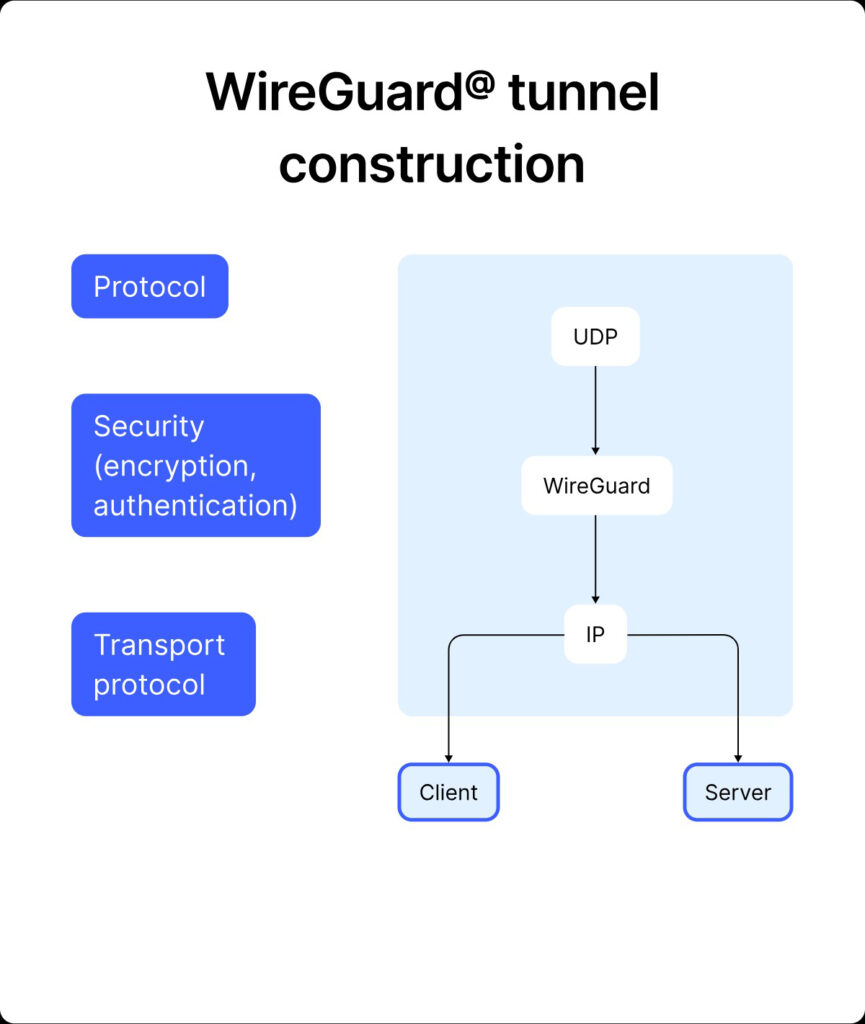
Unlike legacy protocols that require constant communication to maintain an active state, WireGuard is designed to be virtually stateless and silent when not in use. It utilizes a highly optimized handshake that occurs in a single round-trip, allowing a secure connection to be established in milliseconds. Because it does not send unnecessary background packets to keep the tunnel open, it significantly reduces CPU usage and battery consumption on mobile devices. Furthermore, WireGuard uses UDP for all its transmissions, which avoids the performance bottlenecks and latency issues often found in older systems. This combination of streamlined key management and efficient data transport enables the protocol to provide near-native internet speeds while maintaining a nearly invisible footprint on the server side.
Advantages and Disadvantages of WireGuard VPN
The Pros of WireGuard
WireGuard offers several significant advantages that have made it the preferred choice for modern internet users. Its most notable benefit is exceptional speed; because it operates within the system kernel and uses streamlined cryptography, it consistently outperforms older protocols like OpenVPN in both throughput and latency. Additionally, its lightweight codebase of only 4,000 lines makes it much easier for security experts to audit, significantly reducing the likelihood of hidden vulnerabilities. Mobile users also benefit greatly from its efficiency, as the protocol is designed to be silent when not transmitting data, which leads to much longer battery life on smartphones and tablets. Furthermore, its ability to handle roaming seamlessly means your connection won’t drop when switching between Wi-Fi and mobile data.
The Cons of WireGuard
Despite its strengths, WireGuard does have a few drawbacks that users should consider. The most frequently discussed issue is its default handling of privacy; out of the box, WireGuard is designed to store user IP addresses on the server indefinitely to facilitate its high-speed reconnection feature. While many premium VPN providers have developed custom solutions to bypass this, it is not inherently “log-free” in its raw form. Additionally, WireGuard primarily uses UDP, which can sometimes be easier for restrictive firewalls or censors in certain countries to block compared to the more flexible TCP options offered by OpenVPN. Finally, because it is a relatively newer protocol, it may lack support on older legacy hardware or specialized enterprise networking equipment that has not yet been updated to the latest standards.
How to Set Up and Use WireGuard VPN
Setting up WireGuard is intentionally designed to be more straightforward than legacy VPN protocols, moving away from complex certificate management in favor of simple public and private key pairs. For most users, the easiest way to get started is through a dedicated VPN service provider that supports the protocol. Within your VPN app’s settings menu, you can usually find a “Protocol” or “Connection” section where you can toggle the selection to WireGuard. Once selected, the app handles the cryptographic key generation and server handshakes automatically, allowing you to connect to a global server with a single click. This method is highly recommended for those who want the speed and security of WireGuard without needing to manage technical configurations manually.
For advanced users or those setting up their own private server, the process involves installing the WireGuard software on both the host and the client device. After installation, you generate a key pair for each device using simple command-line tools. You then create a configuration file—typically ending in .conf—that defines the interface settings, including the private key, the assigned internal IP address, and the “Peers” section which contains the public key and endpoint address of the server. On mobile devices or desktops, you can simply import this configuration file or scan a generated QR code to establish the tunnel. Once the interface is active, the connection remains dormant until data is sent, providing an “always-on” feel that is both stable and incredibly fast across different network environments.
Is WireGuard Better Than OpenVPN or IKEv2?
Whether WireGuard is better than its predecessors depends entirely on your specific needs, though in 2026, it has become the default choice for most general users. When compared to OpenVPN, WireGuard is significantly faster and more efficient due to its lightweight codebase and kernel-level integration. While OpenVPN often struggles with high overhead and slower speeds—especially on mobile devices—WireGuard delivers near-native internet speeds and much lower latency. However, OpenVPN remains superior in highly restrictive environments because it can run over TCP port 443, making it much harder for firewalls to detect and block compared to WireGuard’s UDP-only approach.
When compared to IKEv2, the competition is closer, especially regarding mobile stability. IKEv2 has long been the gold standard for mobile users because its MOBIKE support allows it to switch between Wi-Fi and cellular data without dropping the connection. While WireGuard has largely matched this capability with its seamless roaming feature, IKEv2 can sometimes be faster on older hardware that has built-in AES acceleration, as WireGuard uses the ChaCha20 algorithm instead. Despite this, WireGuard is generally considered better for modern devices because it is much easier to configure, offers a smaller attack surface for hackers, and consumes significantly less battery power. In summary, use WireGuard for raw speed and efficiency, OpenVPN for bypassing strict censorship, and IKEv2 as a reliable secondary option for mobile stability on older systems.
What Makes WireGuard a Secure Protocol?
The security of WireGuard is rooted in its commitment to modern cryptography and radical simplicity. Unlike legacy protocols that support hundreds of different combinations of encryption algorithms—a complexity that often leads to misconfigurations and vulnerabilities—WireGuard utilizes a fixed, “opinionated” suite of the world’s most robust cryptographic primitives. By using ChaCha20 for symmetric encryption and Poly1305 for authentication, it ensures that every packet is both private and untamperable. Furthermore, because it only contains about 4,000 lines of code, it is much easier for security researchers to perform comprehensive audits. This tiny codebase means there are fewer places for bugs or “backdoors” to hide, making it inherently more secure than OpenVPN’s massive 100,000-line architecture.
Another critical security feature is the use of the Noise framework, which provides a solid foundation for its 1-RTT handshake. This allows for a secure exchange of keys without the overhead that traditionally slows down VPNs. WireGuard also employs a technique called cryptographic key routing, which ensures that the server only communicates with recognized peers. If a packet arrives from an unknown source or is incorrectly signed, the server ignores it entirely. This “stealth” capability means a WireGuard server does not respond to unauthenticated pings or port scans, effectively making it invisible to potential attackers on the public internet. By combining these modern standards with an elegant design, WireGuard provides a level of security that is both transparent and incredibly difficult to breach.
On Which Platforms Can WireGuard Be Used?
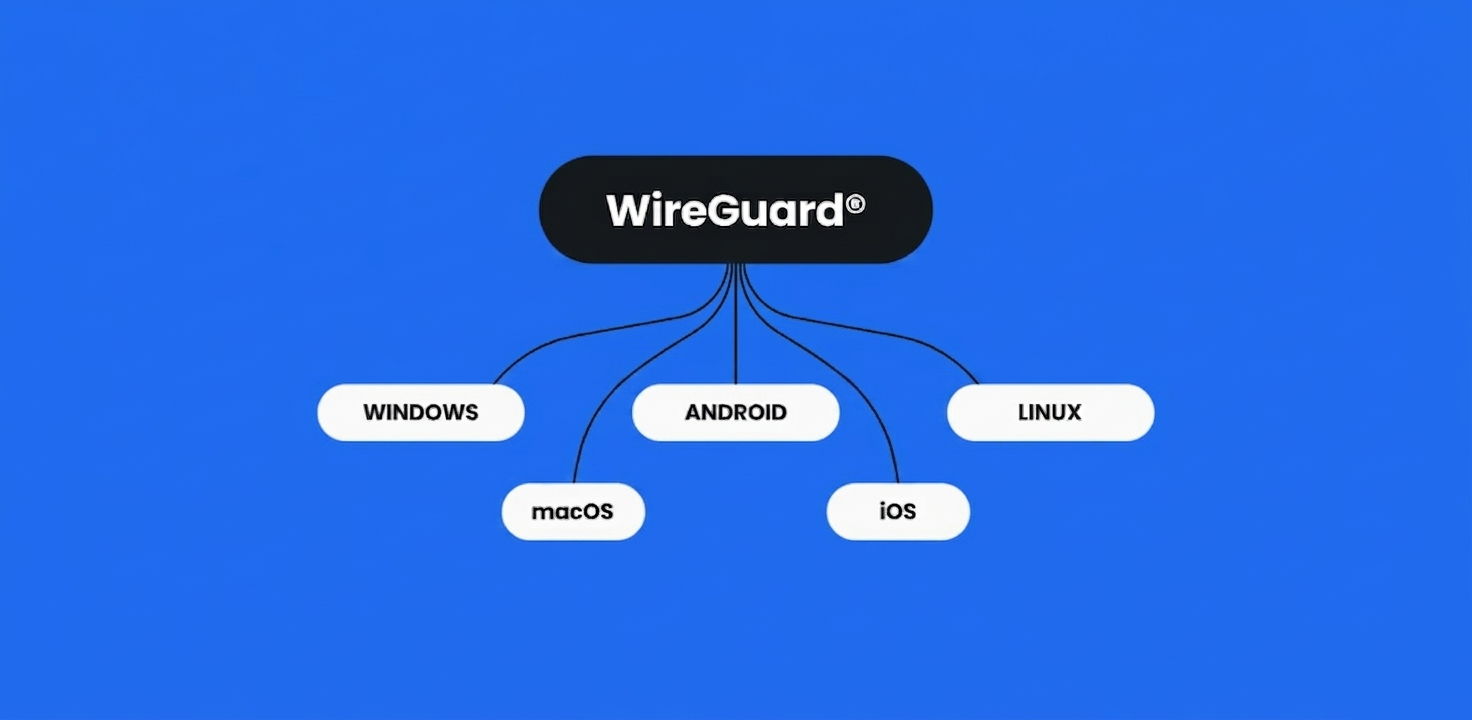
WireGuard has achieved nearly universal compatibility, making it accessible on almost every modern operating system and hardware platform. It is natively integrated into the Linux kernel, which ensures peak performance on a vast range of devices, from enterprise servers to the Raspberry Pi. For desktop users, official and highly polished applications are available for Windows (including versions 7, 8.1, 10, and 11) and macOS. Its cross-platform nature also extends to the BSD family, with official support for FreeBSD, OpenBSD, and NetBSD, making it a favorite for advanced networking and firewall configurations.
In the mobile space, WireGuard is exceptionally well-supported with dedicated apps for both Android and iOS. Because it was designed to be lightweight, it is particularly effective on smartphones where it minimizes battery drain and handles network switching seamlessly. Beyond standard computers and phones, the protocol is increasingly found on specialized hardware such as Amazon Fire TV, Apple TV, and various Android-based smart TVs. It is also a core feature in modern router firmware like OpenWrt, pfSense, and OPNsense, allowing users to secure their entire home or office network at the source. This wide-ranging availability ensures that regardless of your device, you can enjoy the high-speed security that WireGuard provides.
Frequently Asked Questions About WireGuard VPN
Is WireGuard better for gaming than other protocols?
Yes, WireGuard is generally considered the best protocol for gaming. Because it offers significantly lower latency and higher throughput compared to OpenVPN, it reduces lag and provides a much more stable connection. Its ability to quickly handle handshakes also means that if your connection flickers, you will be reconnected almost instantly, often without being dropped from a game server.
Does WireGuard work with Netflix and other streaming services?
WireGuard itself is just a protocol and does not determine whether a streaming service is unblocked. However, because WireGuard is incredibly fast, it is the ideal choice for streaming 4K Ultra HD content without buffering. To access specific libraries like Netflix or Hulu, you need to use a VPN provider that supports WireGuard and has optimized its servers to bypass those specific geo-restrictions.
Can WireGuard be detected by my ISP or government?
While the contents of your traffic are fully encrypted, the fact that you are using a VPN can still be detected by an Internet Service Provider. Since WireGuard uses UDP, its traffic pattern is distinct. In countries with extreme censorship, WireGuard may be easier to block than OpenVPN configured to look like standard HTTPS traffic. Many users combine WireGuard with obfuscation tools if they need to hide VPN usage entirely.
Is WireGuard really free?
WireGuard is an open-source project, which means the software and protocol itself are free for anyone to use, modify, or integrate. However, while the technology is free, a high-quality VPN service that uses WireGuard usually charges a subscription fee to cover the costs of maintaining global high-speed servers, bandwidth, and customer support.
Does WireGuard hide my IP address?
Yes, once you are connected to a WireGuard tunnel, your real IP address is replaced by the IP address of the VPN server. All websites and online services you visit will only see the server’s information, effectively masking your physical location and identity. It is important to ensure your VPN provider has implemented proper DNS leak protection to ensure your real IP never accidentally slips through.